

InMotion Hosting Professional Email, powered by Titan, provides a reliable and professional solution for managing your business email. You can easily purchase and set up your email plan directly through your Account Management Panel (AMP).
Note: InMotion Hosting Professional Email is not available for temporary domains.
How to Purchase Professional Email in AMP
Follow these steps to purchase and activate your InMotion Hosting Professional Email plan:
- Log in to AMP
Go to the AMP login page and sign in with your account credentials. - Access the Marketplace
In the main navigation menu, click on Marketplace. - Find Professional Email
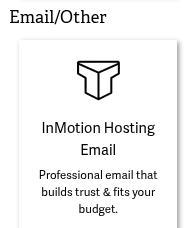
Under Email/Other, locate InMotion Hosting Email and click Add to Plan.
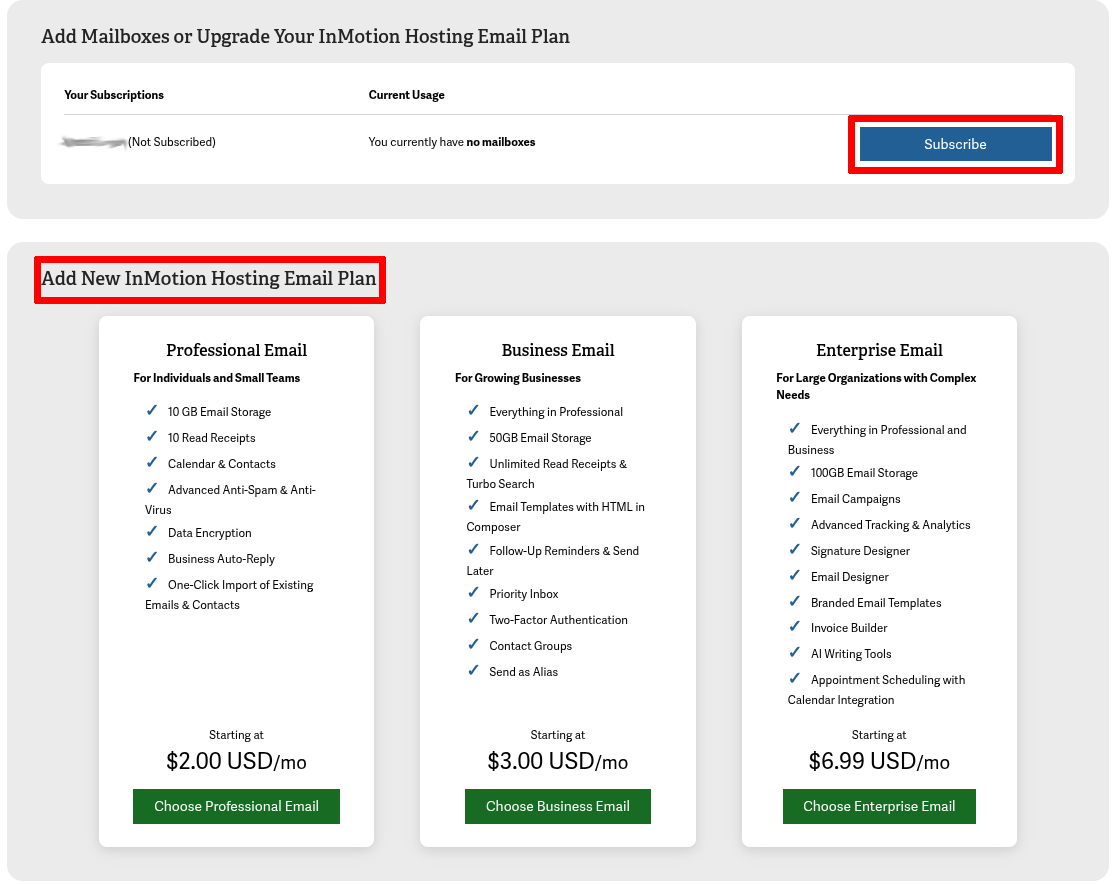
- Choose Your Email Plan
Under Add a New InMotion Hosting Email Plan, select your preferred email package by clicking the Choose Email button. - Configure Your Purchase
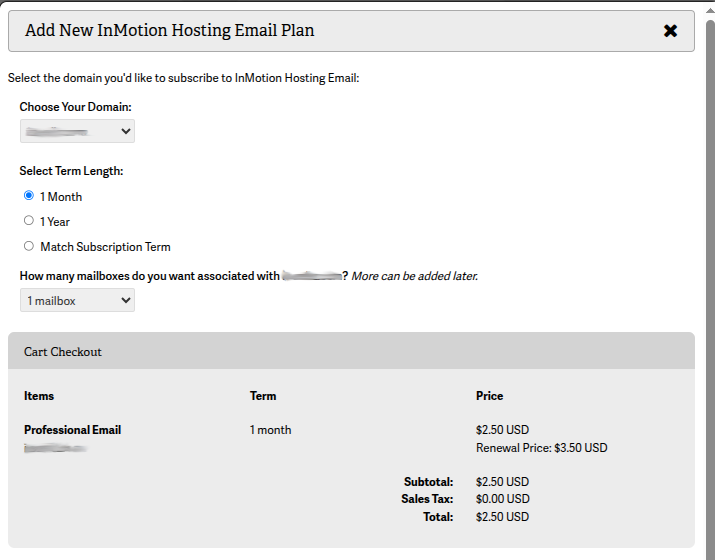
At the checkout screen:
– Select your domain (must be an active domain).
– Choose your term length (billing cycle).
– Specify the number of mailboxes you need. - Confirm Your Purchase
Scroll down to the payment section:
– Select your payment method.
– Review the order agreement and check the “I AGREE” box.
Next Steps
Once your purchase is complete, your Professional Email plan will be active and ready to configure. You can begin creating mailboxes and setting up your email clients immediately.
For more guidance, see:
You’ve now successfully purchased your Professional Email plan and are ready to enjoy secure, professional communication with Titan-powered email!


Leave a Reply