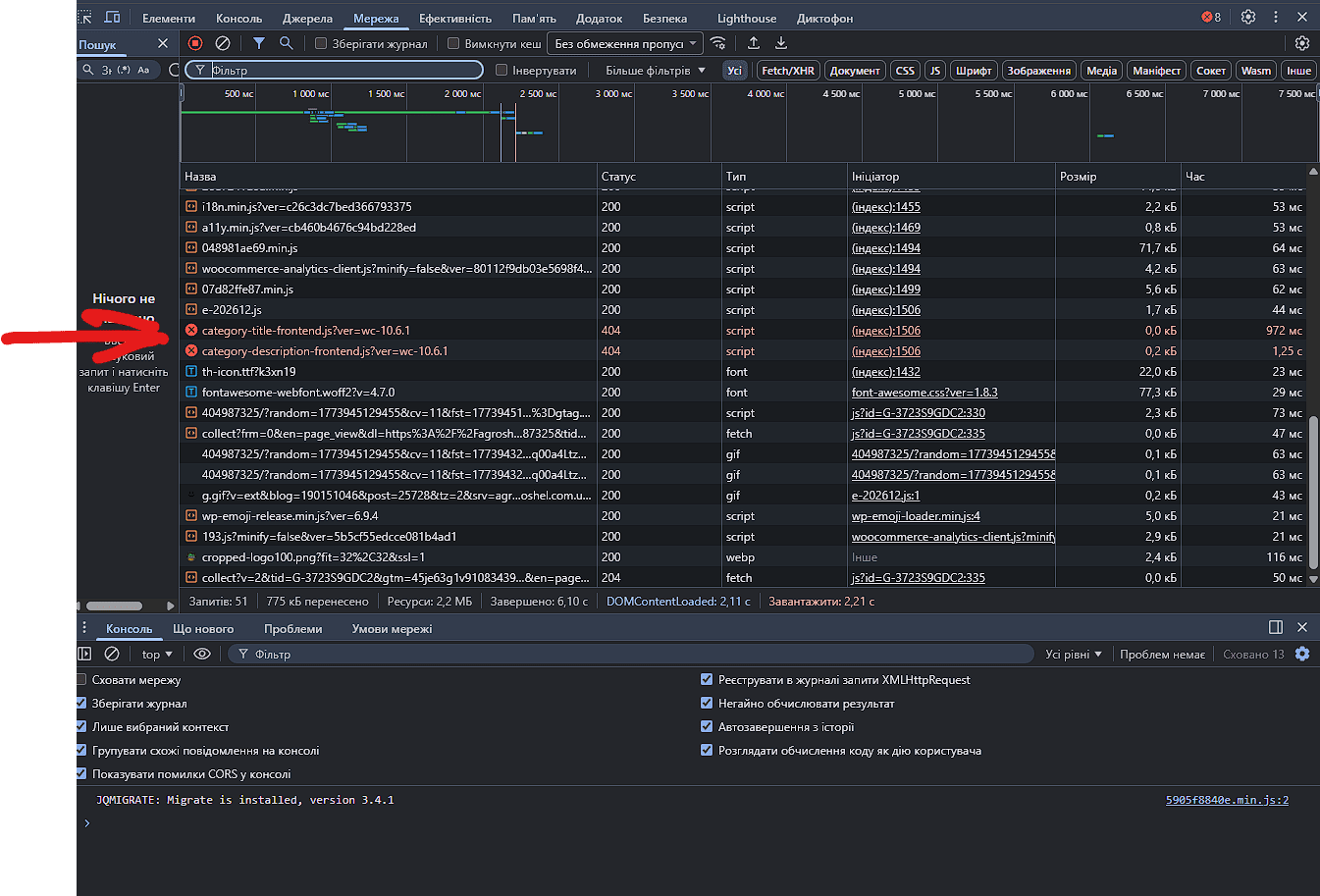
This works too –
add_filter(‘script_loader_src’, function($src, $handle) {
if (empty($src)) {
return $src;
}
$bad_handles = [
'wc-category-title-block-frontend',
'wc-category-description-block-frontend'
];
if (in_array($handle, $bad_handles, true)) {
return '';
}
return $src;
}, 9998, 2);
Hi there,
Thank you for bringing this to our attention and for sharing the error details.
I’ve checked this on my end, but I’m not able to replicate the issue so far. To better understand what’s happening, could you please confirm exactly where you are seeing these error messages? For example, are they visible on the frontend, in the browser console, or within a specific page of your site?
From the errors shared, it appears WooCommerce is attempting to load some JavaScript files that the server cannot locate (404 error), which may be related to cached or missing plugin files.
In the meantime, we recommend trying the following steps:
- Reinstall WooCommerce (this will not affect your store data):
- Go to Plugins → Installed Plugins
- Deactivate and delete WooCommerce
- Reinstall and activate it again
- Clear all caches, including:
- Site/plugin cache
- Server-side (hosting) cache
- CDN cache, if applicable
Please let us know where the error appears and whether the issue persists after these steps, and we’ll be happy to continue investigating.
Hi @shahzeenfarooq Thank you for your reply. I did it, but nothing changed. Here’s what I found, though The file category-description-frontend.js does not exist, but there is a file named category-description.js in the directory (inside the category-description folder). As a result, the browser requests a non-existent path and receives an HTML 404 error (LiteSpeed served a cached 404).
Hi @hoseua,
Thank you for the follow-up and for sharing what you discovered, that insight about the file naming difference is really helpful and points us in a clearer direction.
From your findings, it does appear that WooCommerce is attempting to load frontend block scripts that no longer exist under those exact filenames, while the actual files have a different structure. Combined with LiteSpeed serving a cached 404 response, this can definitely lead to the MIME type errors you’re seeing in the browser.
Just to confirm, were you able to carry out the earlier recommendations, especially manually reinstalling WooCommerce and clearing all layers of cache including LiteSpeed server cache? This step is important to ensure all plugin files are correctly restored and no stale references remain.
Since the issue persisted after your initial attempt, I’d recommend:
- Double checking that WooCommerce was reinstalled fresh by deleting the plugin and uploading a new copy from https://wordpress.org/plugins/woocommerce/
- Purging all LiteSpeed cache, including any server level or QUIC.cloud cache if applicable
- Temporarily disabling any optimization features like JS minification or combining, as these can cache or rewrite outdated script paths
- Running a quick conflict test by switching to a default theme like Storefront and deactivating other plugins to see if something is still enqueueing those older script handles
Your workaround is a solid temporary fix, especially to prevent frontend errors, though ideally we would want to identify what is still referencing those deprecated handles.
If it’s still happening after the above, could you share your System Status Report so we can take a closer look? You can get it via WooCommerce → Status → Get system report and paste it here using https://pastebin.com or https://gist.github.com
A screenshot of the console error would also be helpful, you can share that via https://snipboard.io
Looking forward to your update so we can continue digging into this with you.


Hi there!
Thank you for sharing the system status report and the screenshot of the error message. I have checked the system status report and everything is appearing fine in the report. To assist you further, could you please confirm whether this error is appearing on all WooCommerce pages or only on a specific page?
Additionally, please share the exact page URL where you are seeing this error so we can investigate further and assist you accordingly.
@shahzeenfarooq Hi I only see this error on the home page. It might be elsewhere, but from what I’ve checked, it’s only on the home page.

Thanks.

Leave a Reply