In recent years, WordPress has launched several educational initiatives aimed at supporting students, educators, and new contributors around the world. These programs help introduce WordPress not only as a website-building tool but also as a platform for learning open-source collaboration and community participation.
Some of the most notable initiatives include WP Campus Connect, WP Credits, and Student Clubs. These programs are designed to connect universities and educational institutions with the global WordPress community. Through workshops, mentorship, and real-world projects, students can learn practical skills while contributing to the open-source ecosystem.
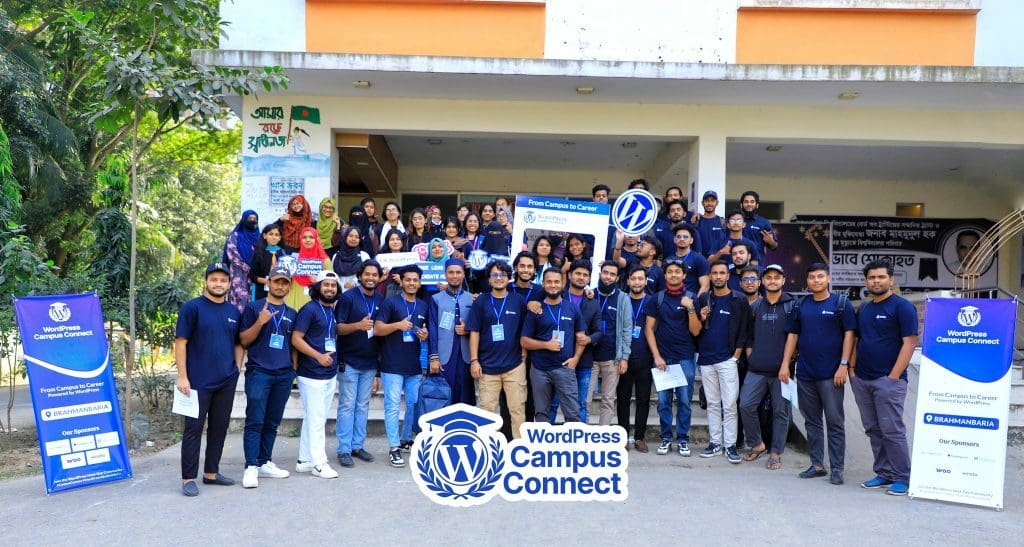
Across many universities and colleges, community members and organizers are hosting events such as Campus Connect workshops, sessions and student clubs. These events help students and beginners learn how to use WordPress, understand open-source contribution, and explore opportunities in the WordPress ecosystem.

Event Websites for WordPress Community Programs
For every official community event, WordPress provides a dedicated event website where organizers can share all the necessary information. These sites typically include:
- Event details and schedules
- Speaker information
- Registration links
- Venue or online meeting details
- Announcements and updates
These event websites are built using the WordPress Block Block is the abstract term used to describe units of markup that, composed together, form the content or layout of a webpage using the WordPress editor. The idea combines concepts of what in the past may have achieved with shortcodes, custom HTML, and embed discovery into a single consistent API and user experience. Editor, which is the default content editor in WordPress. The Block Editor allows organizers to visually create pages using blocks such as headings, images, columns, buttons, and more.
While the Block Editor is powerful and flexible, many new users find it challenging at first. Some organizers struggle with:
- Understanding how blocks work
- Structuring to develop event pages effectively
- Managing layouts for schedules, speakers, and content
- Designing a complete event website using blocks
Because of this learning curve, many event organizers feel unsure about how to build their event sites quickly and efficiently.
Learn WordPress Workshops to Help Organizers
To address this challenge, several workshops have been organized through Learn WordPress. These workshops are specifically designed to help Campus Connect and WordCamp WordCamps are casual, locally-organized conferences covering everything related to WordPress. They’re one of the places where the WordPress community comes together to teach one another what they’ve learned throughout the year and share the joy. Learn more. organizers learn how to build their event websites using the Block Editor.
During these sessions, participants learn practical steps such as:
- Creating essential event pages
- Using block patterns and layouts
- Building schedules and speaker sections
- Customizing the design using blocks
- Publishing a complete event website without writing code
The goal of these workshops is to make it easier for organizers to launch their event websites quickly and confidently.
Through hands-on demonstrations, participants can follow along and learn how WordPress blocks work in real scenarios. This approach helps organizers save time and reduces the frustration that sometimes comes with learning a new editing system.
Workshop Recordings and Learning Resources
If you couldn’t attend the live workshops, don’t worry. The sessions were recorded and are available as learning resources, allowing anyone to watch them later and follow the steps at their own pace.

Leave a Reply